
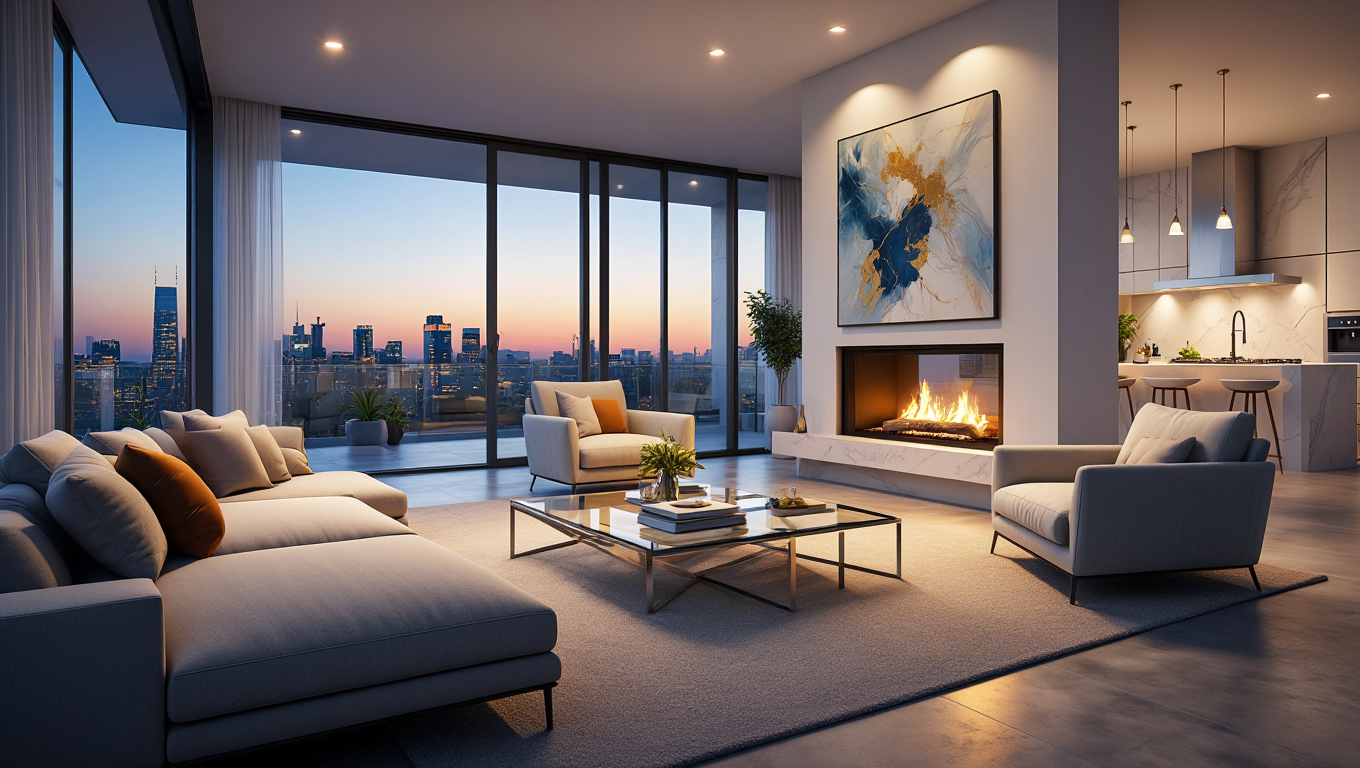
The Visionary's Guide: Creating a Professional Mood Board with AI
Every legendary interior design project begins with a single image. A mood board is not just a collage of "pretty things"; it is a Visual Contract that establishes the emotional tone, color palette, and material language of a project. In the past, creating a mood board meant cutting up magazines or spending hours on Pinterest. In 2025, RoomEnhance AI has automated the "Inspiration Loop," allowing you to generate professional-grade mood boards that are rooted in the physical reality of your actual room.
This guide provides an expert framework for building mood boards that don't just "look good" but actually "perform"—ensuring that every purchase you make fits within a cohesive, designer-level vision.
1. The 5 Layers of a High-End Mood Board
A professional mood board is built like a tiered cake. If you miss a layer, the whole design feels "flat."
- Layer 1: The Base (The "Bones"): This is your RoomEnhance "Before" photo. It grounds the inspiration in the real architecture of your home.
- Layer 2: The Palette (The "Spirit"): Use Ideation Studio to run a "Bohemian" or "Modern" pass. The resulting image provides the AI's interpretation of your room's "Global Color Palette."
- Layer 3: The Textures (The "Touch"): Zoom in on the AI results. Notice the "Bouclé Fabric" on the sofa or the "Brushed Brass" on the lamp. These textures are your material guide.
- Layer 4: The Anchor (The "Statement"): Identify the one "Hero" object the AI generated—a bold piece of art or a unique rug.
- Layer 5: The "Life" (The "Oxygen"): Notice the plants and styling vignettes the AI suggested.
2. The AI-Native Mood Board Workflow
Instead of searching for images, you Generate them.
- Broad Discovery: Run 4 different styles in Ideation Studio.
- The "Mosaic" Export: Use the RoomEnhance "Gallery Compare" tool to create a grid of these 4 styles. This is your "Broad Concept Board."
- The Winning Selection: Pick the one style that "Clicks."
- Surgical Refinement: Use Compose Mode to test specific colors. "What if we add a terracotta accent wall?" This refined image becomes your "Final Direction Board."
3. The "Visual Cohesion" Stress Test
A common amateur mistake is "Aesthetic Drift"—buying a beautiful item that doesn't fit the board.
- The "Rule of Three": A professional mood board should have no more than 3 dominant colors and 3 dominant textures.
- The AI Check: Take a screenshot of an item you want to buy. Use Compose Mode to virtually "place" it in your AI-generated winning room. If it looks like a "Foreign Object," the item has failed the cohesion test. This step alone saves thousands of dollars in returns.
New Section: Expert Analysis - "Aesthetic Psychology" and The Mood Board
Why do we use mood boards? It's about Decision Fatigue.
- Reducing Choice Overload: When you are at the store, there are 500 shades of white. Your mood board acts as a "Visual Filter." If the white isn't on the board, it's not in the room.
- Client Conversion: For professionals, a mood board is a Trust-Building Asset. It proves to the client that you have a "Cohesive Plan," not just a collection of expensive furniture.
- Case Study: A designer used RoomEnhance to create a "Japandi" mood board for a client. The client was worried that "Minimalism" would feel cold. By using the AI to show "Warm Oak Textures" and "Dappled Sunlight," the designer successfully communicated the "Emotional Warmth" of the project, winning a $50,000 renovation contract.
New Section: The AI-Assisted Sourcing Loop
Mood boards often fail because the items shown "don't exist."
- The "Lookalike" Sourcing: Take your RoomEnhance "Finalist" design. Use the Visual Search feature (available in Pro) to find real-world retailers that sell items with similar dimensions and textures.
- Quantity Mapping: Use the Cost Analysis engine to see the "Material List" for your mood board. This tells you exactly how many square feet of that "Sage Green Tile" you need to budget for.
New Section: The "Living" Mood Board - Phased Visualization
Mood boards are usually static. RoomEnhance makes them Phased.
- The 12-Month Vision: Create a project folder. Save the "Phase 1: Paint and Floors" design, and the "Phase 2: Full Furniture" design.
- Progress Tracking: Every time you finish a physical task, take a photo and upload it back into the folder. Compare your "Real Progress" against the "AI Vision" to ensure you are staying on track.
New Section: Troubleshooting "Mood Board Mismatch"
If your mood board feels "messy":
- Remove the Background: Use the Decluttering Studio to simplify the original room photo. A "Clean Canvas" mood board is easier to read.
- Standardize Lighting: Ensure all your inspiration images have the same "Color Temperature." Mixing "Cold Blue" office light with "Warm Orange" sunset light on one board creates visual anxiety.
- Contrast Balance: If your board is all dark, the room will feel small. Ensure your mood board has a "High Point" (bright white or mirror) to add visual "Air."
Verdict: The Professional Mood Board Checklist
- Start with the "Bones": Always include the real "Before" photo.
- Limit the Palette: Stick to the 60-30-10 color rule.
- Layer the Textures: Mix hard (metal), soft (velvet), and natural (wood).
- Test the "Hero": Virtually place your expensive item before buying.
Stop guessing. Start visualizing. Create your professional AI mood board in the Studio now!
Topics covered in this article:
Related Articles
The Spa-at-Home Masterclass: Planning a Bathroom Remodel with AI
Transform your dated bathroom into a luxury spa. Master the technical challenges of bathroom design, from tile selection to lighting, using the precision of RoomEnhance AI.
The Ultimate Guide: Comparing Different Furniture Arrangements with AI
Don't move heavy furniture twice. Master the art of spatial comparison. Learn how to use AI to test 10+ layouts in minutes and discover the most efficient flow for your home.
The Ultimate Guide: How to Design a Home Office in a Bedroom
Combine productivity and peace. Learn how to design a high-performance bedroom office that doesn't ruin your sleep or your style. Master zoning, lighting, and tech-hiding.
Ready to Transform Your Space?
See how your room would look with a completely new design. Our AI can help you visualize different styles in minutes.