The Weekend Warrior's Blueprint: RoomEnhance for DIY Renovators
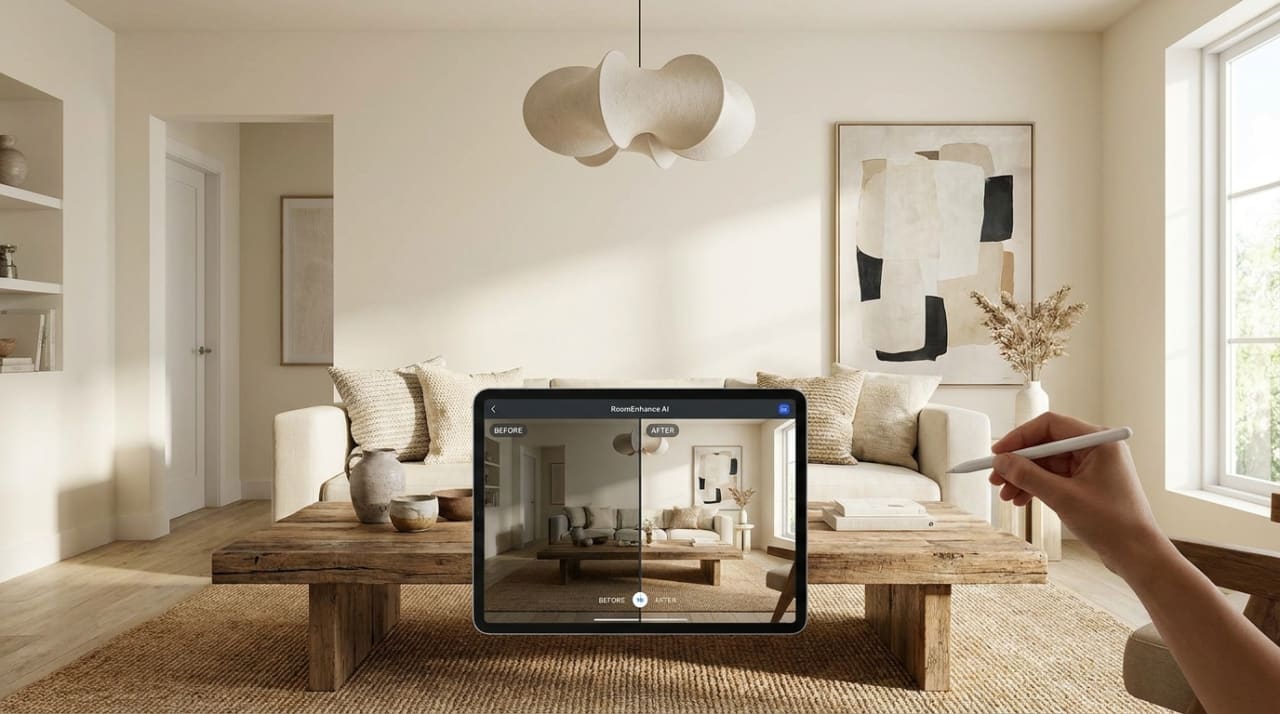
DIY renovation is a journey of high highs and deep "Buyer's Remorse." Every weekend warrior has a story of a paint color that looked different on the wall, a tile pattern that felt "too busy" once installed, or a vanity that was 2 inches too wide for the door. The problem isn't your skill; it's the "Imagination Gap." You are trying to build something without ever having seen the finished result. RoomEnhance AI changes the DIY game by providing you with a photorealistic "Final Destination" before you even pick up a screwdriver.
This guide provides the definitive playbook for using AI to manage your DIY projects, focusing on Financial Accuracy and Visual Confidence.
1. The "Visualize Before You Buy" Loop: Saving Thousands
The most expensive part of a DIY project is the "Second Purchase"—buying the right thing after the wrong thing didn't work.
- The Paint Test: Don't paint 50 tiny squares on your wall. Take a photo and use RoomEnhance Ideation Studio to see the entire room in "Sage Green" vs. "Terracotta."
- The Furniture Placement Test: Before you drag a heavy second-hand dresser up the stairs, use Compose Mode to virtually "place" it in your room. If the AI shows that the room becomes too cramped, you've saved yourself hours of physical labor.
- The Flooring Pass: Upload your photo and ask for "Herringbone Oak Floors" vs. "Large Format Slate Tiles." Seeing the "Texture under your feet" changes the way you prioritize your material budget.
2. The DIY "Project Brief": Communicating with Yourself (and Your Spouse)
The #1 cause of DIY stress is "Misaligned Visions." You want Industrial; your partner wants Bohemian.
- The Compromise Engine: Use Style Fusion in the RoomEnhance dashboard. Blend the two styles at 50/50. The resulting AI design is the "Peace Treaty" that allows both of you to agree on a direction before you start the demolition.
- The "Visual Bible": Print out your finalized AI render and tape it to the door of the room being renovated. It acts as a "North Star," keeping you focused on the end goal when the project gets difficult and messy in week three.
3. High-ROI Budgeting: The AI Cost Analyst
DIY doesn't always mean "Cheap." It means "Value Management."
- The "Analyze Costs" Button: Once you've designed your dream DIY kitchen, click "Analyze Costs." The AI identifies the materials shown and provides a budget.
- Value Engineering: If the AI budget is $2,000 over your limit, use Compose Mode to test a cheaper material (e.g., "Standard White Subway Tile" instead of "Custom Zellige"). You'll often find that the "Designer Look" is maintained even with the cheaper material, freeing up cash for better tools.
New Section: Expert Analysis - Bridging the "Confidence Gap"
Why do most DIYers stop at "Just Painting"? Because they are afraid of the Complexity Ceiling.
- The "Bones" Pass: RoomEnhance's AI maintains the structural lines of your room. This gives you the confidence to realize that a "Total Transformation" is often just a collection of small, surface-level tasks (flooring + trim + lighting).
- The "Trades" Bridge: Use the AI's Floor Plan Studio to identify where your electrical outlets and plumbing stacks are. This "Spatial X-Ray" allows you to plan your DIY work around the things you aren't qualified to change, saving you from a $500 "Emergency Plumber" call.
New Section: The AI-Assisted Sourcing Loop for DIYers
- The "Screenshot-to-Sourcing" Workflow: Take your winning AI render and upload it to Google Lens or Pinterest.
- The Result: Third-party visual-search tools may surface similar products, but verify dimensions, materials, price, and availability before treating suggestions as a shopping list.
New Section: Case Study - The "Guest Room to Home Gym" Pivot
A DIYer in Denver wanted to turn an unused guest room into a home gym.
- The Fear: They were worried the treadmill would make the room feel like a "Basement."
- The AI Strategy: They used RoomEnhance to visualize the room with "Light Wood Slat Walls" and "Mirrored Panels."
- The DIY implementation: Based on the AI's lighting suggestions, they installed $200 worth of LED strips and $150 of slat-wall panels.
- The Result: They achieved a "Boutique Fitness Club" vibe for under $500 in materials, adding more value to the home than a generic spare bedroom.
New Section: Troubleshooting the "DIY Disaster" Before it Happens
- Scale Check: If the AI-placed sofa looks tiny, it means your original photo was taken from too high an angle. Re-shoot at chest height for perfect scale.
- Material Mismatch: If the AI flooring looks "Blurry," ensure your input photo is well-lit. The AI needs clear data on your existing baseboards to "draw" the new floor accurately.
- The "Shadow" Test: If you are adding a new light fixture in Compose Mode, ensure you also brush the area on the floor below it. This forces the AI to render the "Pool of Light," which is what makes the design feel "Real."
Verdict: The DIY Success Checklist
- Measure Once, Design Twice: Get the floor plan before the furniture.
- The "Style Peace Treaty": Use AI to align visions with your partner.
- Value Engineer: Swap expensive textures for visual lookalikes.
- Source Strategically: Use Visual Search to find the AI's "Look" at your local hardware store.