
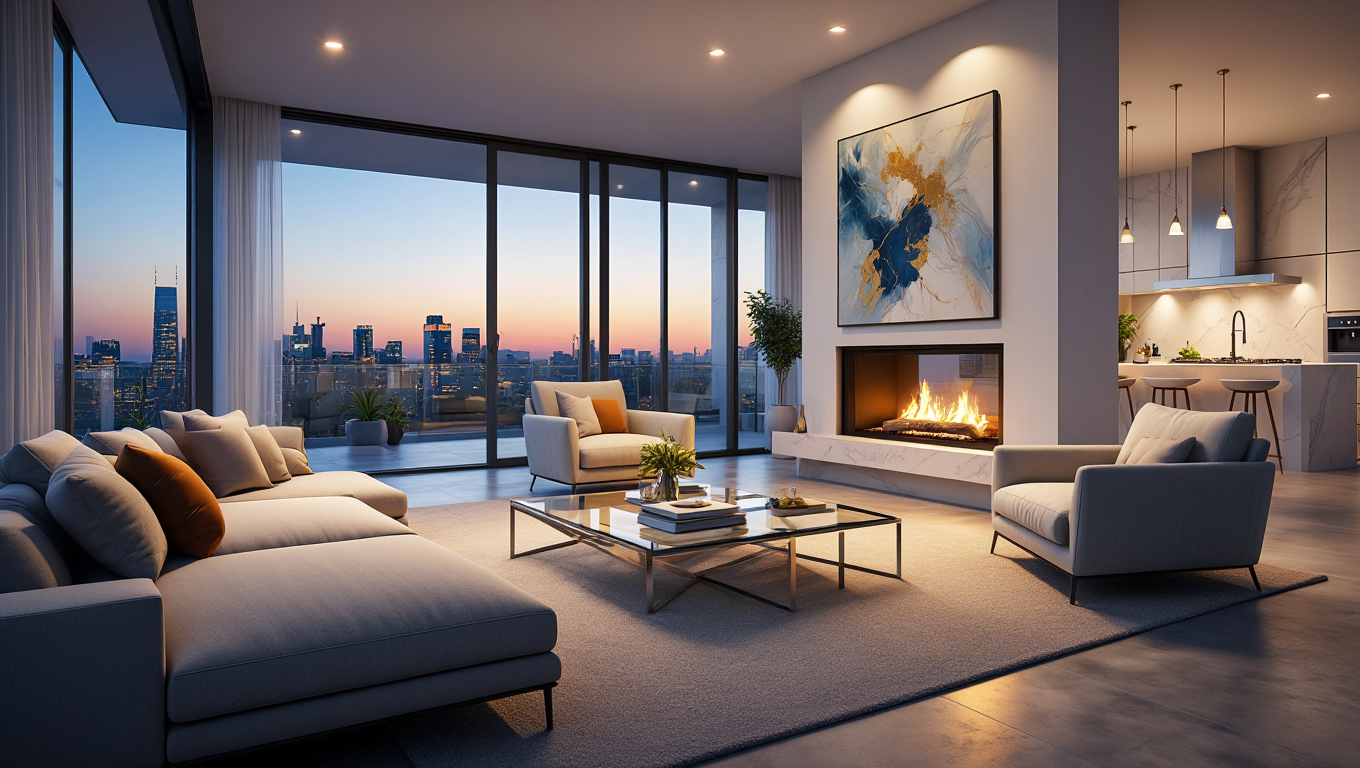
The Deep Dive Guide into Ideation Studio: Unleashing Creative Potential
The Ideation Studio is the heartbeat of the RoomEnhance platform. While other tools focus on "editing," the Ideation Studio is built for "discovery." It is where thousands of designers begin their journey, using our most advanced and creative AI models to break through the "imagination ceiling." This guide will provide you with the professional-level techniques needed to use the Ideation Studio as a high-performance creative engine.
In interior design, the most difficult phase is the first 10%—moving from a blank canvas to a concrete direction. The Ideation Studio solves this by providing "Visual Hypotheses." Instead of telling you what your room should look like, it shows you what it could look like in dozens of parallel universes.
1. The Psychology of Style Selection
RoomEnhance offers 20+ professionally curated styles. Choosing between them is more than an aesthetic choice; it's about the "mood" you want to evoke.
- Modern Minimalist (The Palette Cleanser): Best for cluttered rooms. It uses negative space to create a sense of calm.
- Expert Tip: Use this when a room feels "too busy" or has complex architectural features that need to be simplified visually.
- Biophilic Design (The Wellness Choice): Focuses on natural textures, plants, and organic shapes.
- Expert Tip: Excellent for home offices or bedrooms where reducing stress is the primary goal.
- Japandi: A fusion of Japanese and Scandinavian styles. It prioritizes function and "Wabi-Sabi" (beauty in imperfection).
- Expert Tip: Use this for kitchens and bathrooms where you want a clean look that still feels warm and lived-in.
2. Advanced Iteration: The "Discovery Loop"
Master designers don't just click "Generate" once. They use an iterative loop.
- Phase 1: Broad Sampling. Run 3-4 different styles (e.g., Industrial, Mid-Century, and Art Deco) on the same photo.
- Phase 2: Comparative Analysis. Look at the results side-by-side. You might like the lighting of the Industrial design but the furniture of the Mid-Century design.
- Phase 3: Refined Ideation. Once you've picked a "winning" style, run 3-4 variations of just that style. This allows the AI to explore sub-themes within that aesthetic.
3. Mastering the Human-AI Hybrid Prompt
While the style presets are powerful, adding custom text prompts allows you to steer the AI with surgical precision.
- The "Material First" Prompt: "Modern style, focusing on raw concrete walls, warm oak flooring, and brass fixtures."
- The "Lighting First" Prompt: "Scandinavian style, emphasizing sunset lighting through the windows and warm glowing floor lamps."
- The "Function First" Prompt: "Bohemian style, optimized for a cozy reading nook with floor cushions and a large bookshelf."
New Section: Expert Analysis - Maintaining Architectural Integrity
A common fear with AI design is that it will "hallucinate" new walls or windows. Ideation Studio uses a technology called Structural Consistency Mapping.
- The "Bones" Pass: Our AI performs an initial pass to identify load-bearing walls, permanent plumbing fixtures, and window locations.
- The "Skin" Pass: Only after the "Bones" are secured does the AI apply the style "Skin."
- Case Study: A renovation project involving a room with an unusual sloped ceiling. Generic AI tools tried to "level" the ceiling. RoomEnhance Ideation Studio recognized the slope as a primary architectural feature and used it to place a dramatic, angled wooden beam installation in the "Industrial" style.
New Section: The "Moodboard" Workflow - Exporting Ideas
Ideation Studio isn't just for single images; it's for building a design language.
- The Mosaic Export: You can export a grid of 4 variations into a single high-res image. This is the perfect "Moodboard" to send to a client or spouse to get a temperature check on a design direction.
- Color Extraction: Professional designers use the Ideation results to extract hex codes. If the AI generates a specific shade of "Sage Green" that looks perfect under your room's natural light, you can use that exact color for your physical paint selection.
New Section: Understanding "Creativity Intensity"
The "Intensity" slider (found in the Advanced Settings of Ideation Studio) controls how much the AI can deviate from your original room.
- Low Intensity (0-30%): Best for "re-decorating." It keeps your exact furniture layout but updates the style.
- Medium Intensity (30-70%): Best for "re-furnishing." It keeps the room's footprint but allows the AI to suggest new furniture placements.
- High Intensity (70-100%): Best for "total renovation." It allows the AI to reimagine the space entirely, including removing non-load-bearing walls or changing floor materials.
New Section: Troubleshooting "Style Clashes"
If the AI produces a result that looks "wrong":
- Check the Room Type: Ensure you haven't accidentally set the Room Type to "Kitchen" when uploading a "Bedroom."
- Reduce Prompt Complexity: Sometimes "less is more." If your prompt has 20 different instructions, the AI may struggle to prioritize them. Start simple and add detail one iteration at a time.
- Lighting Balance: If your original photo is very dark, the AI may default to "moody" styles. Try using the Auto-Enhance tool before running Ideation to give the AI a brighter canvas.
Uncover your room's hidden potential. Enter the Ideation Studio and start exploring today!